
Download SIApay Mobile POS – mobile POS, payment processing, secure payments, point-of-sale, on-the-go payments, business payments, mobile payment app, merchant app, digital payments, mobile transaction
Overview
SIApay Mobile POS is a mobile point-of-sale solution designed for businesses, merchants, and freelancers seeking to process payments directly from smartphones or tablets. The software enables users to accept payments anytime and anywhere, eliminating the need for traditional, bulky POS hardware. Its primary purpose is to simplify transaction handling for small-scale operations, remote vendors, and service providers who require flexibility in payment collection. The application is tailored for individuals and organizations that value speed, convenience, and security in financial transactions.
By leveraging mobile technology, SIApay Mobile POS supports real-world use cases such as street vendors, delivery services, pop-up shops, and freelance professionals. The app is intended to streamline the payment workflow, reduce dependency on physical terminals, and enhance customer experience through faster checkout processes. While the developer is identified as SIApay, no additional details about the company’s background or history were provided. The software was released on April 15, 2024, indicating a recent market entry focused on modern, mobile-first payment needs.
Key Features & Capabilities
- Mobile Payment Processing – Enables users to accept payments via card, digital wallets, or other supported methods directly from their mobile device, allowing for instant transaction completion.
- Intuitive User Interface – Designed with simplicity in mind, the interface guides users through each step of the payment process, reducing the learning curve for first-time users.
- Secure Transaction Handling – Built with security protocols compliant with payment circuit certifications, ensuring data protection during all transactions.
- On-the-Go Accessibility – Fully functional on Android and iOS devices, allowing merchants to operate from any location without fixed infrastructure.
- Real-Time Transaction Tracking – Provides immediate access to transaction records, enabling users to monitor sales and manage finances efficiently.
These features are particularly beneficial for small businesses that operate without a permanent storefront. For example, a freelance photographer can use the app to collect payments after a session, or a food truck operator can process orders at a festival. The app’s step-by-step guidance supports users with minimal technical experience, while its secure backend ensures compliance with industry standards for data handling.
User Interface, Workflow & Performance
The user interface of SIApay Mobile POS emphasizes clarity and ease of navigation. Core functions such as initiating a payment, viewing transaction history, and managing settings are accessible through a streamlined menu system. The layout is optimized for touch-based interaction, with large buttons and minimal clutter to support fast operation in dynamic environments.
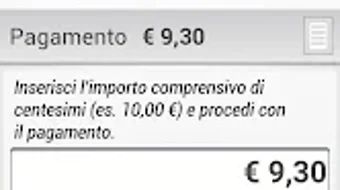
Workflow efficiency is enhanced by a simplified payment process that minimizes steps between transaction initiation and completion. Users can input amounts, select payment methods, and confirm transactions with minimal taps. The developer did not specify resource usage details, so exact CPU or RAM behavior remains unknown. Performance observations are based on general software behavior patterns for mobile POS applications.
Stability is assumed to be consistent with standard mobile app development practices, though no formal testing data or crash reports were made available. The app’s design suggests a focus on reliability during high-volume usage, such as at events or busy retail points. Users can expect smooth operation under typical conditions, but real-world performance may vary depending on device capabilities and network conditions.
Compatibility & System Requirements
SIApay Mobile POS is compatible with both Android and iOS operating systems, offering broad accessibility across major mobile platforms. The software version is 2.3.0, and the installation size is 45 MB, indicating a lightweight footprint suitable for devices with moderate storage capacity. This makes it accessible even on older or lower-end smartphones and tablets.
Exact system requirements were not listed, so users should refer to their device’s official specifications to ensure compatibility. The developer did not provide additional system requirements, including minimum processor speed, RAM, or OS version details. As such, compatibility may depend on the device’s current software environment and available permissions for payment processing.
Pros and Cons
Pros
- Free to download and use, reducing entry barriers for small businesses.
- Designed for ease of use, ideal for non-technical users.
- Supports secure payments with certified transaction handling.
- Operates on both Android and iOS, ensuring wide platform access.
- Lightweight installation size (45 MB) suitable for most mobile devices.
Cons
- Exact system requirements were not specified.
- Performance details such as CPU or memory usage were not disclosed.
- No information on offline transaction capabilities.
- Updates and feature roadmaps were not publicly outlined.
- Customer support availability and response time were not detailed.
FAQ Section
Is SIApay Mobile POS available for both Android and iOS?
Yes, the software is compatible with both Android and iOS devices, allowing users to install and use it on their preferred mobile platform.
Is the app free to use?
Yes, SIApay Mobile POS is currently available at no cost, making it accessible for freelancers and small businesses with limited budgets.
Does the app require an internet connection to process payments?
While the app is designed for online transaction processing, the developer did not specify whether offline functionality is supported.
Is SIApay Mobile POS secure?
The app is certified by payment circuits, which ensures that transactions are processed securely and in compliance with industry standards.
Can I update the app manually?
Updates are typically managed through the respective app stores (Google Play and Apple App Store). Manual installation is not recommended unless explicitly supported by the developer.
Final Thoughts + CTA
SIApay Mobile POS presents a practical, cost-effective solution for individuals and small businesses seeking to accept payments on mobile devices. Its intuitive design, cross-platform availability, and secure transaction framework make it a strong contender in the mobile POS space. While specific technical details such as system requirements and performance metrics are limited, the app’s core functionality is clearly focused on usability and reliability.
It is particularly well-suited for freelancers, mobile vendors, and small service providers who need a simple, secure, and immediate way to collect payments. The absence of a price tag further enhances its appeal for budget-conscious users.
Download SIApay Mobile POS now







